Reframe: From Tab-Complete to an Agent Editing Your Eval
Cursor is not a chatbot with a text editor attached. It is a fork of VS Code with an agent built into the editing loop, and that changes what "accept" means from one part of the product to another.
You already have instincts for this. You have accepted and rejected inline completions for months, and those instincts are fast and mostly right. This lesson is about where they stop being right: the first time an agent edits a training or eval script across several files and you accept it the way you accept a completion.
What Cursor is
Cursor gives you three ways to change code, and they differ in how much a single accept can change.
Tab suggests code as you type, as gray text ahead of your cursor. Cursor's docs say it can modify several lines, add a missing import, and suggest coordinated edits across related code, including a jump to an edit in another file. Each suggestion appears before you press Tab to take it or Esc to drop it. Cmd-K is inline edit (lesson 2 covers the shortcut on each platform): you select code, describe a change, and Cursor rewrites that selection. Agent is the one that breaks the pattern. You describe a task, and it can search your repo, run terminal commands, plan a set of edits and write to as many files as the task needs, in one turn. Older Cursor versions and older tutorials call the multi-file mode Composer.
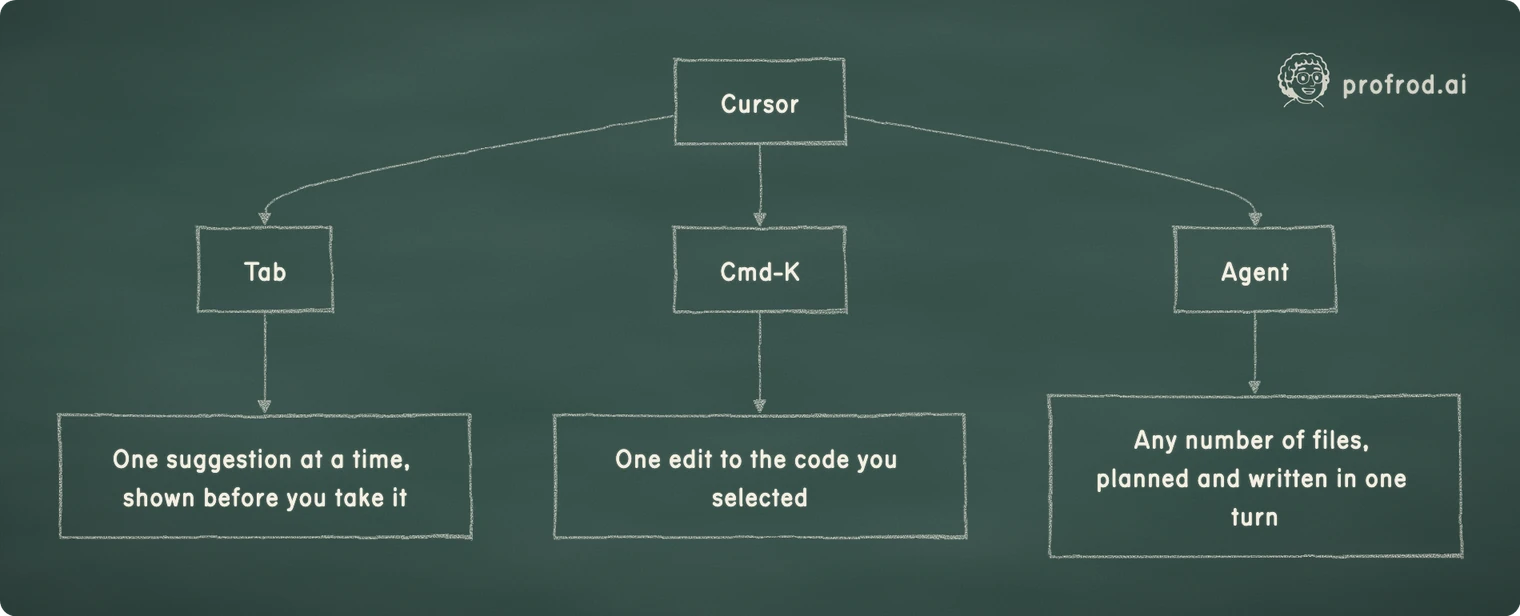
All three end with something you keep or throw away. That shared ending is what makes the difference in scope easy to miss.
The instinct that stops working
Tab habit is well earned. Reject a bad suggestion, accept a good one, keep typing. Worst case, you delete a line.
An Agent turn ends with the same choice. But keeping a multi-file Agent turn is not a longer version of keeping a completion. It is closer to merging a colleague's pull request that touched your data loader, your metric and your config, sight unseen.
Nobody decides out loud to stop reviewing agent output. It happens by default, because the accept step feels the same as the one you have taken ten thousand times for a single suggestion.
Research code makes this worse, for a specific reason. When a web service breaks, something usually errors. When an eval breaks, it usually prints a number. A test set used for model selection, a normalization step fit on all the data before the split, a metric that now counts a partial match as correct: each of these runs cleanly and returns a plausible score.
A little arithmetic on multi-file turns
Here is why a bigger turn needs a bigger review. Suppose each separate edit in a turn is right with probability p, and the edits fail independently. The chance that every edit in a k-edit turn is right is p to the power k.
Take p = 0.95 as an illustration, not a measurement. One edit is right 95% of the time. Five edits are all right 0.95⁵ = 0.95 × 0.95 × 0.95 × 0.95 × 0.95 ≈ 0.774 of the time, so roughly one five-edit turn in four contains at least one wrong edit. The same compounding drives agent reliability over many steps, which chapter 3 of the book derives and measures. Your real p depends on the task and the model, and lesson 10 shows you how to measure your review against it instead of guessing.
Why the review has to change
The fix is to match your review to what the change can break, not to how easy accepting feels.
A one-line completion gets a one-line review: does it look right, does it run. An Agent turn that touches your eval gets the review a lab reviewer would give a colleague's change to the same code. Read the diff. Check which split each touched line reads. Check whether the metric's definition moved. Check what changed outside what you asked for. Cursor gives you the tools for that at no cost: a diff per file and checkpoints you can restore. Later lessons build the habit of using them.
Checkpoint
What's ahead
The rest of this module gets Cursor running in five minutes, then lays out the three modes side by side so you know which one fits a task before you reach for it.
Installing Cursor and making your first reviewed change on research code you already have.
Reply here and it goes straight to Rod. Same as replying to one of his emails.


